¶ Fluid properties
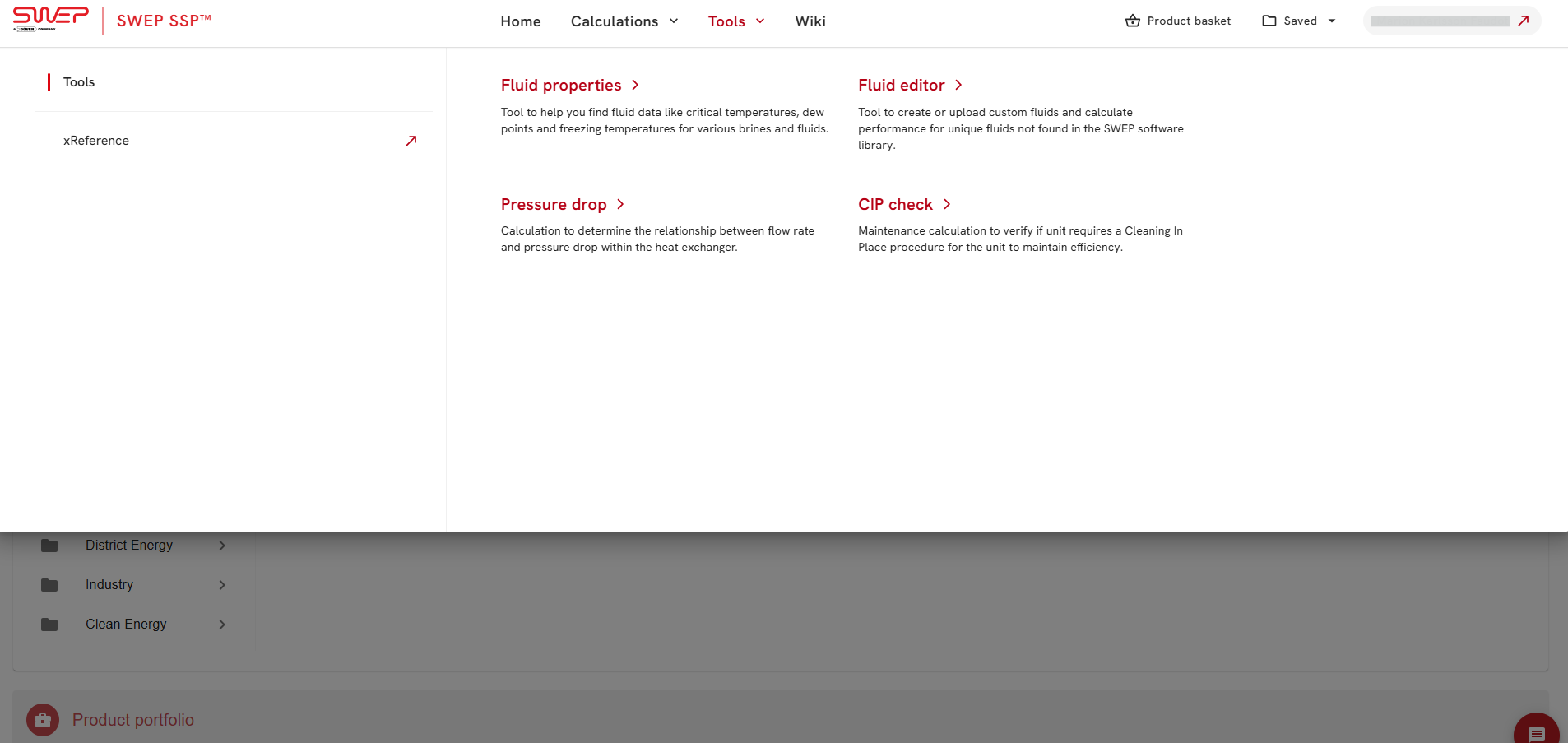
Fluid properties tool is accessible from the navigation menu
The fluid properties will appear in the new window.
¶ Fluid properties tool includes:
- Fluid selection section
- Range selection section
- Results section
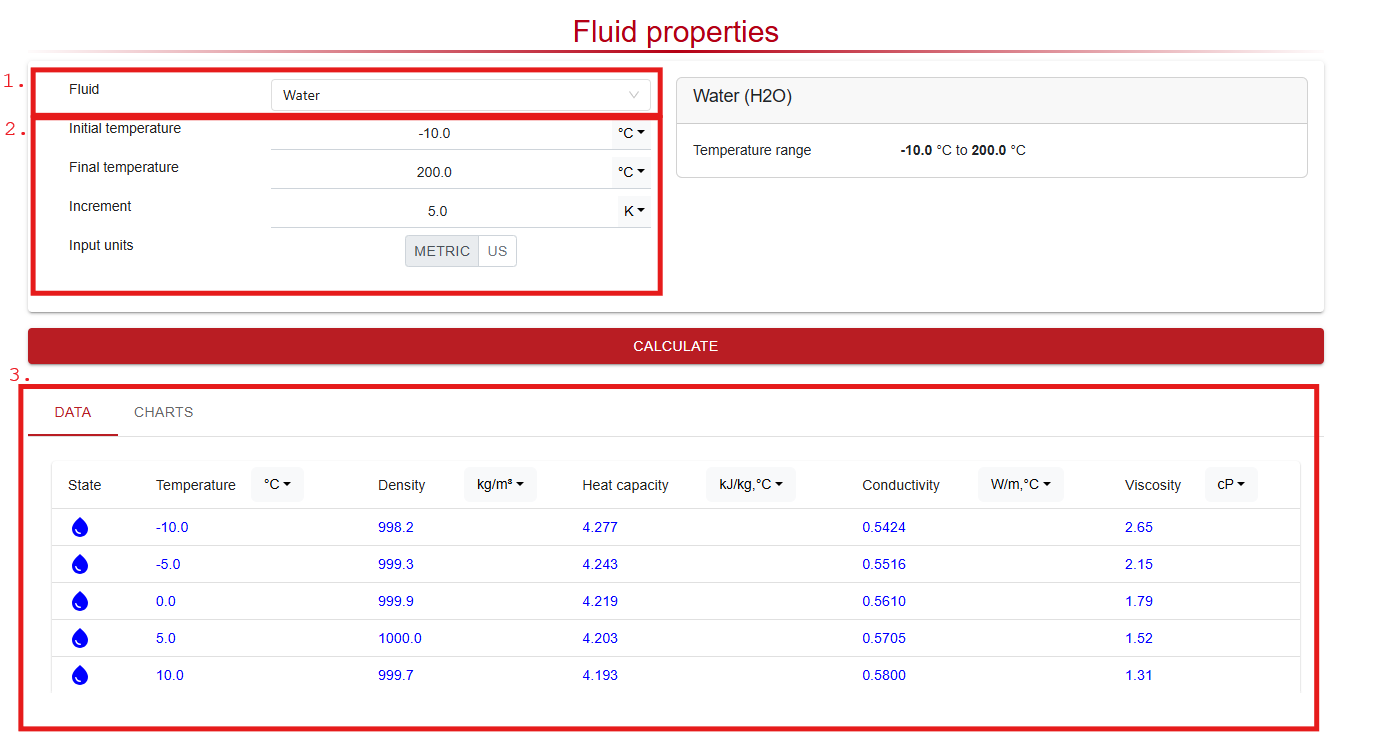
Copy values e.g. to Excel for data analysis, use Ctrl+C and Ctrl+V to copy paste selected rows into an excel sheet
¶ Fluid selection section
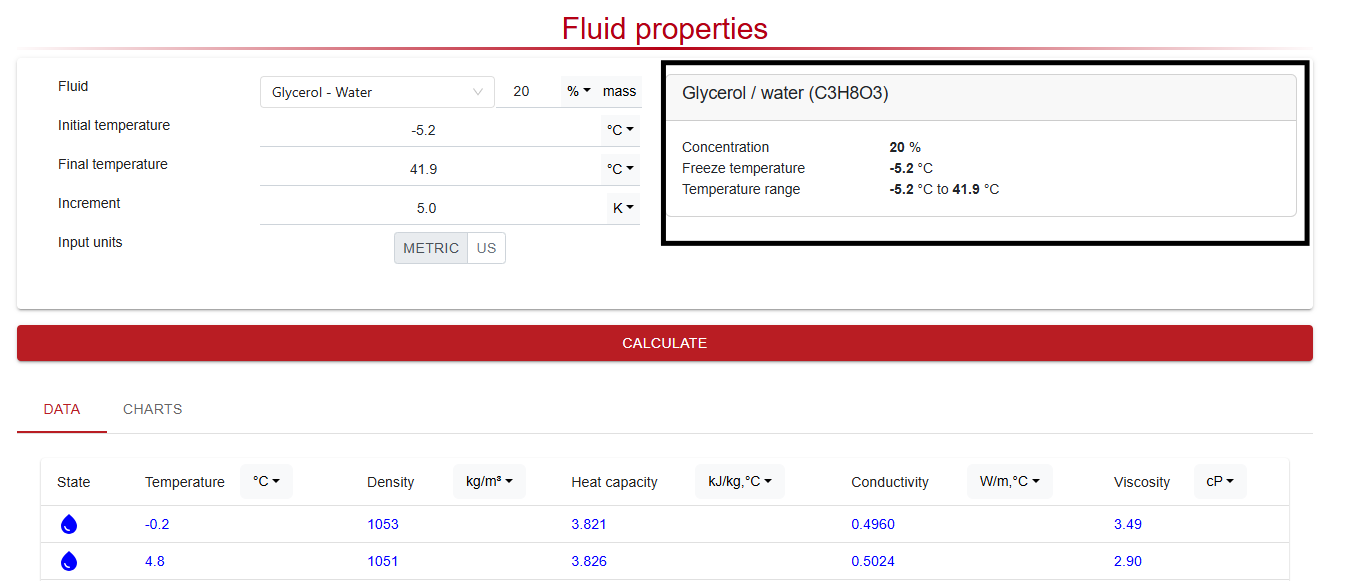
Fluid is chosen either by writing the name of the fluid or by manually selecting in the drop down menu. Units can be altered between Metric and US (imperial) units.
¶ Range selection section
The fluid Properties tool is by default displaying the values in the full available range and with a 5K or 9 °F increment. It is possible to modify range and/or increment and then press calculate. By altering the temperature range and increment more detail data can be presented.
¶ Results section
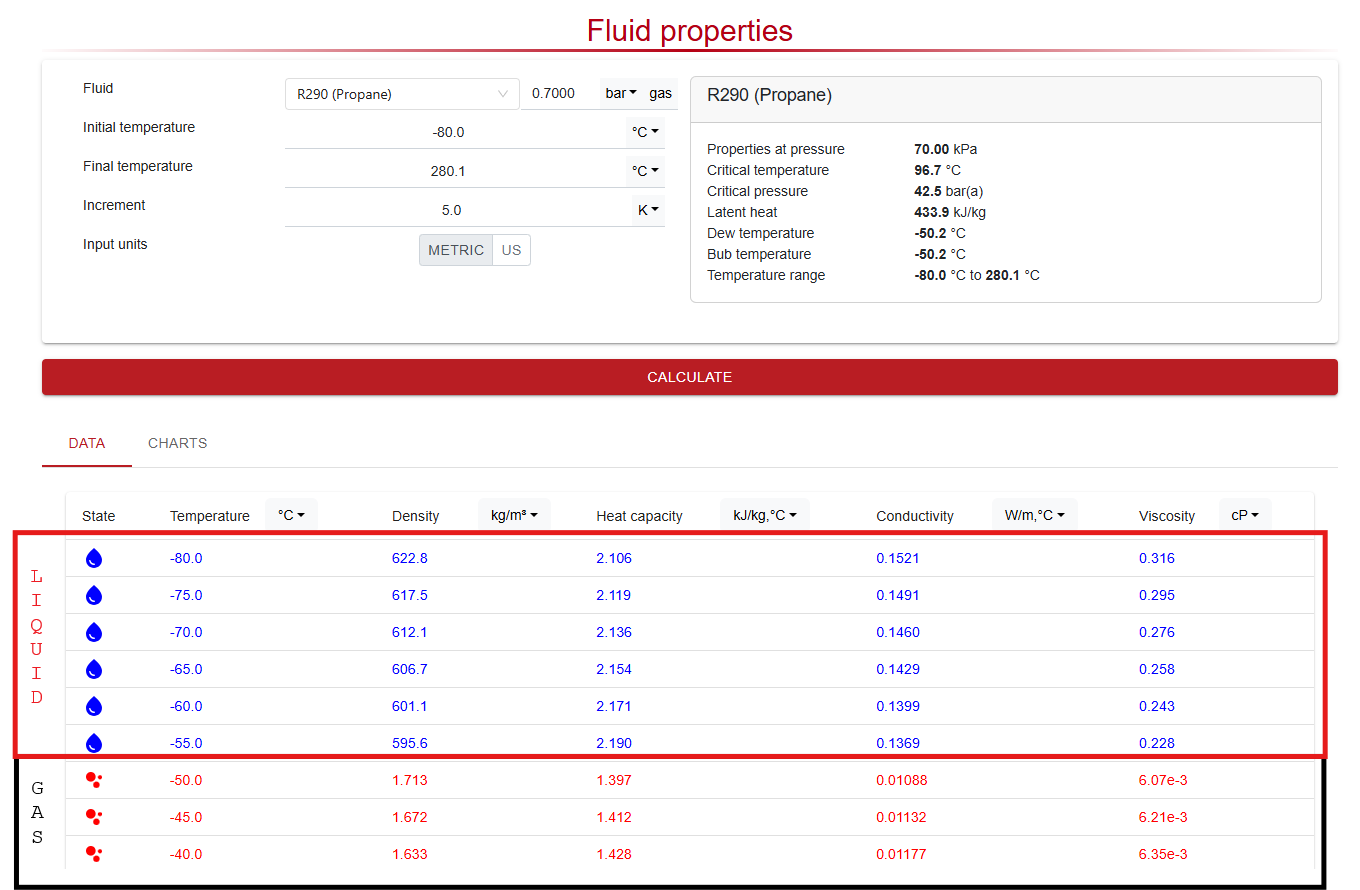
Fluid Properties tool can be used to check two phase fluid properties such as critical temperature and pressure, latent heat and saturation temperature at a specified pressure.
Blue values are below saturation temperature (liquid state) and red values are above saturation temperature (gas form).
For glycols the concentration can be specified to check freezing temperature of the fluid.
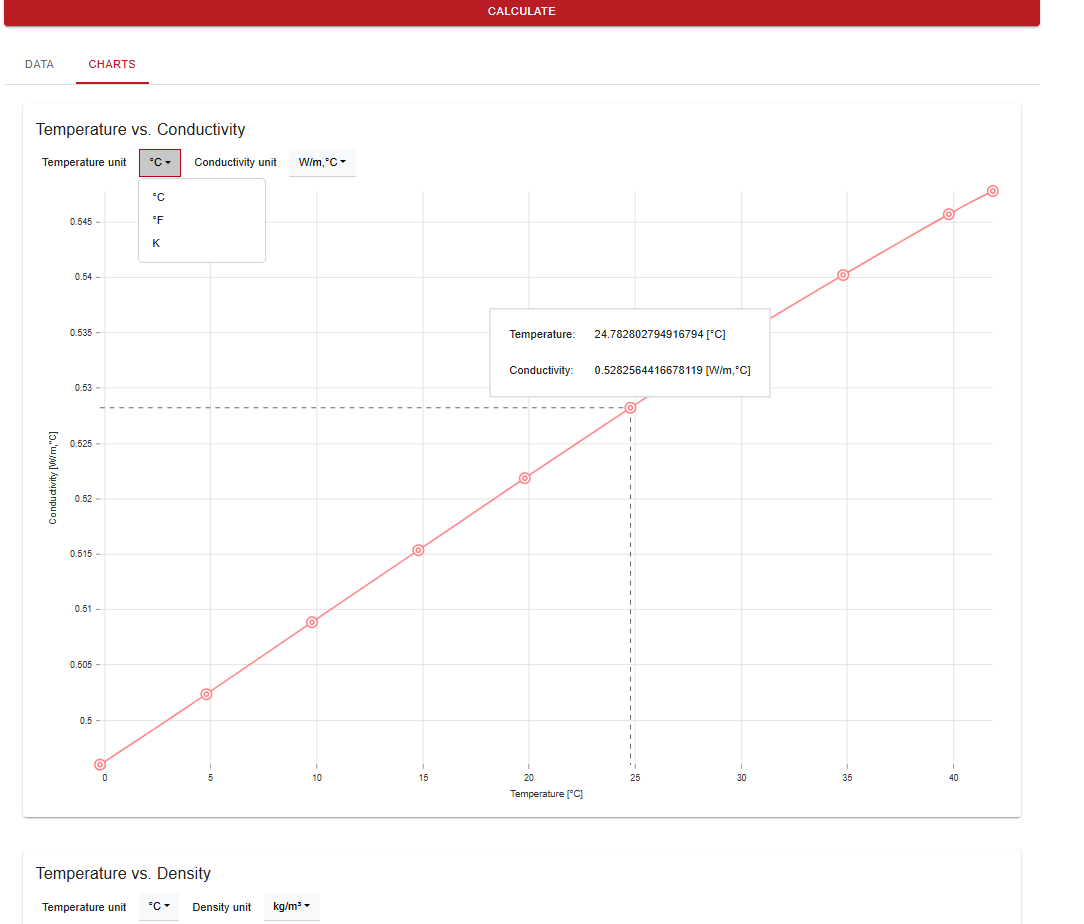
By selecting charts the fluid properties are plotted against each other in different charts where a variety of unit options can be selected